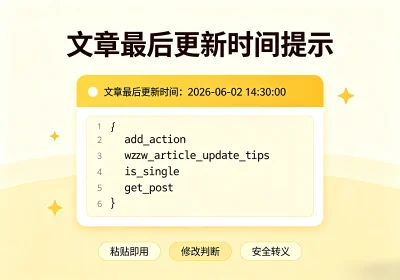





文章最后更新时间:2026-07-21 22:38:53
适用于 Zibll 子比主题,依托主题原生钩子 zib_posts_content_before,在文章正文上方输出文章最后修改时间。
代码逐段讲解
add_action('zib_posts_content_before', 'wzw_article_update_tips', 10, 1);add_action 挂载钩子,zib_posts_content_before 是子比主题内置钩子,执行位置为文章正文内容加载之前;
参数 10 代表执行优先级,1 代表回调函数接收 1 个文章参数。
![图片[1]-子比主题-文章顶部展示最后更新时间代码-玩转网](https://www.902d.com/wp-content/uploads/2026/07/238978b7a820260721220852.webp)
function wzw_article_update_tips($post)自定义回调函数,接收钩子传递的文章数据 $post。
if (!is_single() || empty($post)) {
    return;
}
is_single() 判断当前页面是否为文章详情页。非文章页面、无文章数据时直接终止函数,不输出内容。
$post = get_post($post);
if (!$post) {
    return;
}
通过 get_post() 标准化文章数据,兼容钩子传入文章 ID 或者 WP_Post 对象两种格式;校验文章对象合法性,规避异常数据报错。
$post_date    = strtotime($post->post_date);
$modified_date = strtotime($post->post_modified);post_date:文章原始发布时间;
post_modified:文章后台保存后的最后更新时间;
strtotime 将时间字符串转为时间戳,方便大小对比。
if ($modified_date <= $post_date) {
    return;
}
核心判断逻辑
当修改时间 ≤ 发布时间,代表文章创建后没有进行过任何编辑,直接退出函数,不显示更新提示;
只有后台手动编辑保存过文章,修改时间大于发布时间,才继续执行输出。
$modified_time = get_the_modified_time('Y-m-d H:i:s', $post);WordPress 原生函数读取文章最后修改时间;
Y-m-d H:i:s 控制输出格式:年 – 月 – 日 时:分: 秒。
echo '<div class="article-update-tips">';
echo '<p class="padding-h6">文章最后更新时间:<code>' . esc_html($modified_time) . '</code></p>';
echo '</div>';
输出前端 HTML 结构:
- article-update-tips 自定义容器 class,方便添加 CSS 样式美化;
- padding-h6 子比主题自带内边距样式;
- esc_html() 文本转义,符合 WordPress 安全开发规范,防止 XSS 漏洞;
- 更新时间放置 <code> 标签内,区分正文普通文字。
功能特点
- 专属 Zibll 子比主题,依赖 zib_posts_content_before 钩子,其他主题无法使用;
- 智能识别文章修改状态,新建从未编辑的文章不展示提示;
- 定位在文章正文顶部,访客第一眼就能看到更新信息,适合教程、资讯类站点。
完整代码
代码写入function.php或新建func.php 更新主题不会被覆盖
/* 文章最后更新时间提示 */
add_action('zib_posts_content_before', 'wzw_article_update_tips', 10, 1);

function wzw_article_update_tips($post)
{
    if (!is_single() || empty($post)) {
        return;
    }

    $post = get_post($post);

    if (!$post) {
        return;
    }

    $post_date    = strtotime($post->post_date);
    $modified_date = strtotime($post->post_modified);
    if ($modified_date <= $post_date) {
        return;
    }

    $modified_time = get_the_modified_time('Y-m-d H:i:s', $post);

    echo '<div class="article-update-tips">';
    echo '<p class="padding-h6">文章最后更新时间:<code>' . esc_html($modified_time) . '</code></p>';
    echo '</div>';
}
CSS:
写入后台自定义css:
.article-update-tips {
    background: #a94442;
    color: #333;
    margin: 0 0px 20px;
    border-radius: 8px;
    position: relative;
    text-align: center;
    background-image: url(https://img.alicdn.com/imgextra/i1/2210123621994/O1CN017ZFVO81QbIjgNEl4Q_!!2210123621994.png);
    background-clip: padding-box;
    background-size: cover;
    background-repeat: no-repeat;
    background-attachment: scroll;
    background-position: 50% 50%;
    background-blend-mode: normal;
}
网站名称:玩转网
本文链接:
版权声明:知识共享署名-相同方式共享 4.0 国际 (CC BY-NC-SA 4.0)协议进行许可
本站资源仅供个人学习交流,转载时请以超链接形式标明文章原始出处,(如有侵权联系删除)





![子比主题论坛系统以及全新V6开发进度汇报[更新预告]-玩转网](https://www.902d.com/wp-content/uploads/2021/10/2021101910243451.png)










暂无评论内容